
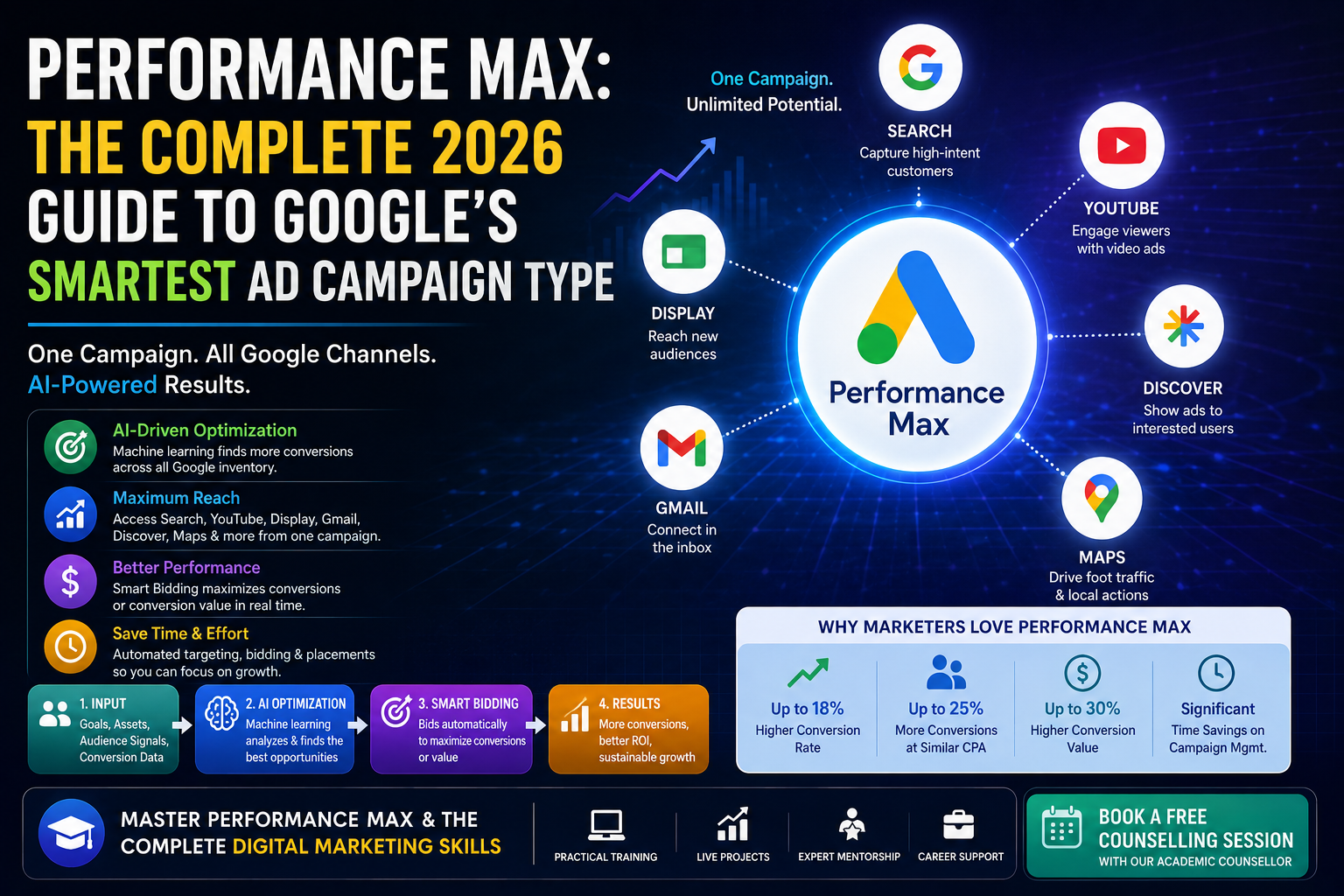
Performance Max is a goal-based campaign type inside Google Ads that lets advertisers access all of Google’s ad inventory — Search, Display, YouTube, Discover, Gmail, and Maps — through one single campaign. Instead of building separate campaigns for each channel, you feed Google your assets (images, videos, headlines, descriptions, logos) and your goals, and Google’s machine learning decides where, when, and to whom your ads should show.
The buzz around Performance Max isn’t hype without substance. Google has been steadily pushing advertisers toward automation, and PMax represents the most advanced version of that shift. It replaced Smart Shopping and Local campaigns entirely, and many advertisers have seen it become the default recommendation inside their Google Ads account.
TL;DR
- Performance Max (PMax) is Google’s AI-driven campaign type that runs ads across Search, Display, YouTube, Gmail, Discover, and Maps from a single campaign.
- It uses machine learning and Smart Bidding to find conversions automatically across all Google inventory.
- Success depends heavily on quality asset groups, audience signals, and conversion tracking — not manual bid control.
- PMax works best for e-commerce and lead-gen businesses with strong conversion data feeding the algorithm.
- You lose granular control over placements, but gain reach and efficiency that manual campaigns often can’t match.
- Pairing PMax with search term insights and exclusion strategies helps you avoid wasted spend.
Table of Content
- How Does Performance Max Actually Work Behind the Scenes?
- Why Should You Consider Performance Max Over Traditional Search Campaigns?
- What Do You Need Before Launching Your First Performance Max Campaign?
- How Should You Structure Asset Groups for Better Results?
- How Do You Optimize a Performance Max Campaign That’s Underperforming?
- Is Performance Max Right for Every Business?
- FAQ
- Conclusion
How Does Performance Max Actually Work Behind the Scenes?
At its core, Performance Max relies on three pillars: asset groups, audience signals, and Smart Bidding.
Asset groups are collections of your creative — headlines, descriptions, images, logos, and videos — organized around a specific theme, product line, or audience. Google mixes and matches these assets automatically to build ads that fit whichever channel it’s placing them on.
Audience signals are hints you give Google about who’s likely to convert — things like customer match lists, website visitors, or interest categories. Importantly, these are signals, not hard targeting rules. Google can and will go beyond them if its model predicts better conversion likelihood elsewhere.
Smart Bidding then optimizes in real time toward your selected goal, whether that’s conversions, conversion value, or a target ROAS/CPA. The system continuously learns from incoming conversion data, adjusting bids and placements every auction.
Together, these three elements let PMax operate as a self-optimizing system, theoretically free from the guesswork that used
Why Should You Consider Performance Max Over Traditional Search Campaigns?
The honest answer: it depends on your goals, but there are clear scenarios where PMax has the edge.
Reach beyond keywords. Traditional Search campaigns only catch people actively typing a query. PMax can find conversion-ready users on YouTube, Discover, or Display — channels where there’s no “keyword” to bid on, but plenty of buying intent signals Google’s model can detect.
Reduced management overhead. A single campaign with automated bidding genuinely saves time, especially when you’re managing dozens of campaigns or working with limited team bandwidth.
Better performance for e-commerce. Online retailers using Shopping feeds typically see PMax outperform standalone Shopping campaigns because of incremental reach across additional surfaces.
That said, traditional Search campaigns still win when you need precise control — for industries with legal restrictions, brand-sensitive placements, or very narrow targeting requirements. The smartest accounts often run both side by side rather than picking one exclusively.
What Do You Need Before Launching Your First Performance Max Campaign?
Before clicking “create campaign,” a few prerequisites genuinely matter for success:
- Solid conversion tracking. PMax is only as good as the conversion data it learns from. If your tracking is broken or incomplete, the algorithm optimizes toward garbage signals.
- A reasonable budget and conversion volume. Google recommends having at least 30 conversions in the last 30 days for the algorithm to learn effectively. Thin data means a longer, rockier learning phase.
- A complete set of creative assets. Multiple headlines, descriptions, images in various aspect ratios, and ideally video. Incomplete asset groups limit where your ads can show.
- A product feed (for retail). If you’re running e-commerce, linking Google Merchant Center is non-negotiable for Shopping-style placements within PMax.
- Clear audience signals. First-party data like customer lists or website visitor remarketing audiences give the algorithm a meaningful head start.
Skipping these steps doesn’t mean PMax won’t run — it means it’ll run inefficiently while you pay for the algorithm’s trial and error.
How Should You Structure Asset Groups for Better Results?
Asset group structure is where a lot of advertisers either win big or quietly waste budget.
The general rule: group by theme, not by product SKU count. If you sell running shoes and office chairs, those deserve separate asset groups because the messaging, imagery, and target audience differ completely. Cramming unrelated products into one asset group forces Google to generate generic ads that don’t resonate with either audience.
Within each group, provide:
- At least 5 headlines (try to use the maximum of 15)
- 5 long headlines
- 5 descriptions
- Multiple image sizes (square, landscape, portrait)
- A logo
- A video (even a simple one — Google can auto-generate one from images if you skip this, but it’s rarely as effective)
How Do You Optimize a Performance Max Campaign That’s Underperforming?
When a PMax campaign isn’t hitting targets, the fix usually falls into one of these buckets:
Check conversion tracking accuracy first. A surprising number of “PMax isn’t working” complaints trace back to duplicate conversions, incorrect attribution windows, or broken tags — not the campaign itself.
Review asset group performance. Inside the campaign, the “Asset groups” tab shows which headlines, images, and combinations are performing well versus poorly. Pause or replace consistently weak assets.
Use search term insights. PMax now offers visibility into search themes and categories triggering your ads (though not full keyword-level transparency like Search campaigns). Use this to identify irrelevant traffic and add negative keywords at the account level if needed.
Reassess your bidding goal. If you’re optimizing for “conversions” but actually care about profitability, switching to “conversion value” with a target ROAS often realigns spend with revenue quality, not just volume.
Give it time before judging. The learning phase typically takes 2–6 weeks. Making major changes during this window resets learning and extends the timeline further.
Is Performance Max Right for Every Business?
Not universally, and that’s an important nuance often glossed over in generic guides.
Good fit: E-commerce stores with healthy conversion volume, lead-gen businesses with clear, trackable actions (form fills, calls, bookings), and brands with diverse creative assets ready to deploy.
Riskier fit: Brand-new businesses with little to no historical conversion data, advertisers in heavily regulated industries needing strict placement control, and accounts with very low budgets where the algorithm can’t gather enough signal to learn meaningfully.
If you’re unsure which camp you fall into, running a smaller-budget test campaign alongside your existing Search efforts — rather than replacing everything at once — is the safer path.
FAQ
Q: What is the minimum budget needed to run a Performance Max campaign? There’s no official Google minimum, but most practitioners recommend starting with at least enough budget to generate 15–30 conversions within a 30-day window for meaningful algorithm learning.
Q: Can I see which keywords trigger my Performance Max ads? Not in the same granular way as Search campaigns. Google provides “search themes” and category-level insights, but full keyword-level reporting isn’t available within PMax.
Q: Does Performance Max replace Search campaigns entirely? No. Many advertisers run PMax alongside Search campaigns, using PMax for broad reach and Search for high-intent, brand-specific terms they want tighter control over.
Q: How long does the Performance Max learning phase take? Typically 2 to 6 weeks, depending on conversion volume and budget. Frequent edits during this period can restart the learning clock.
Q: Can Performance Max cannibalize my existing Search campaign traffic? It’s possible, especially for branded terms. Monitoring overlap reports and adjusting brand exclusions when necessary helps manage this.
Conclusion
Performance Max represents where Google Ads is heading — automated, AI-driven, and increasingly less about manual keyword bidding and more about feeding the right signals to a powerful machine learning system. Understanding the mechanics is step one. Knowing how to structure asset groups, interpret performance data, and troubleshoot underperformance is what actually separates advertisers who get results from those who just burn the budget watching a black box.